Connect to Google Cloud without the friction
A native desktop app for connecting simply and securely to Google Cloud Platform instances through Identity-Aware Proxy (IAP). Built with Flutter and Rust. 100% free and open source (GPLv3 license).
Download for Linux
Looks like you're on macOS. LCC for macOS, as a Universal app for Apple Silicon and Intel, is available in the 27H1 preview: download it here. The stable 26H2 release is still Linux-only.
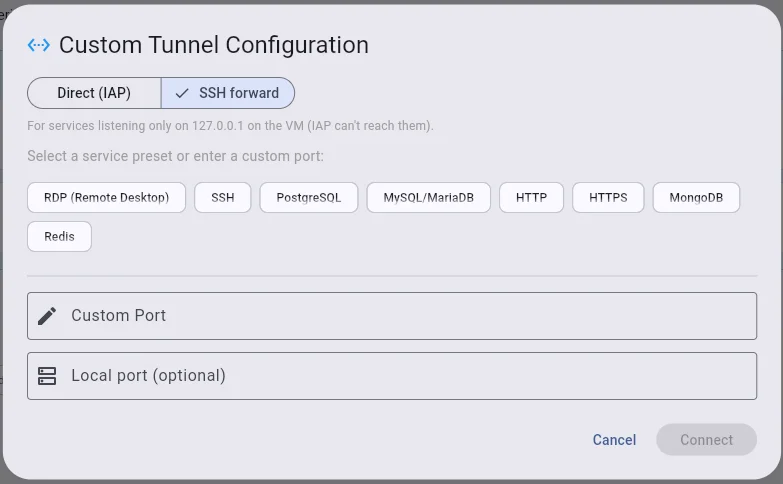
IAP tunnels and port forwarding
Multiple simultaneous tunnels per VM to any TCP service (SSH, PostgreSQL, MySQL, HTTP, Redis…), with automatic reconnection and health monitoring every 30 seconds.
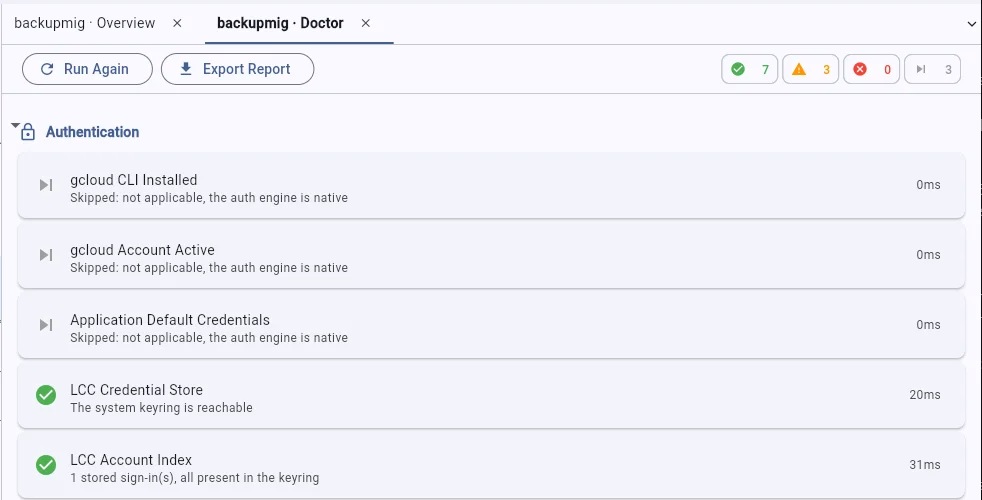
Connectivity Doctor
10 automatic checks covering authentication, permissions, IAP, firewall and your local environment, with suggested fixes, auto-fix and an exportable report with sensitive data redacted.
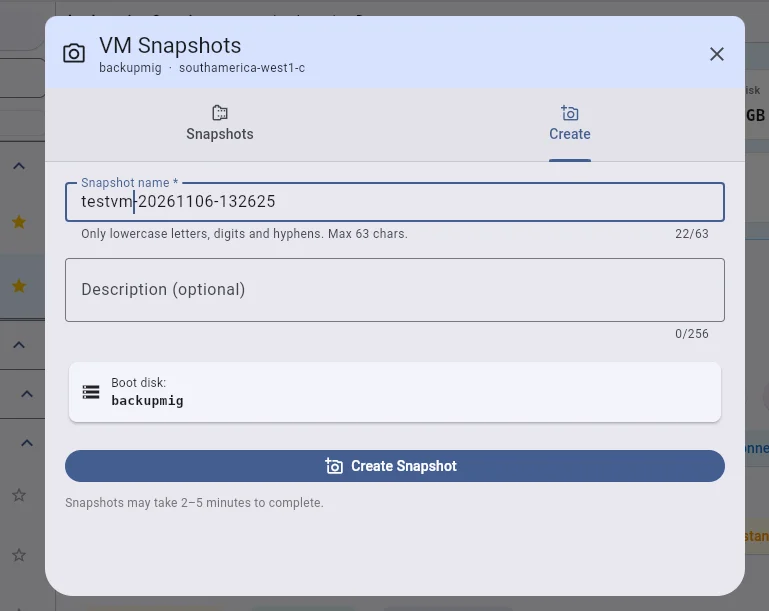
VM and snapshot management
Start, stop, reset, suspend and resume instances; create, list and delete disk snapshots right from the app.
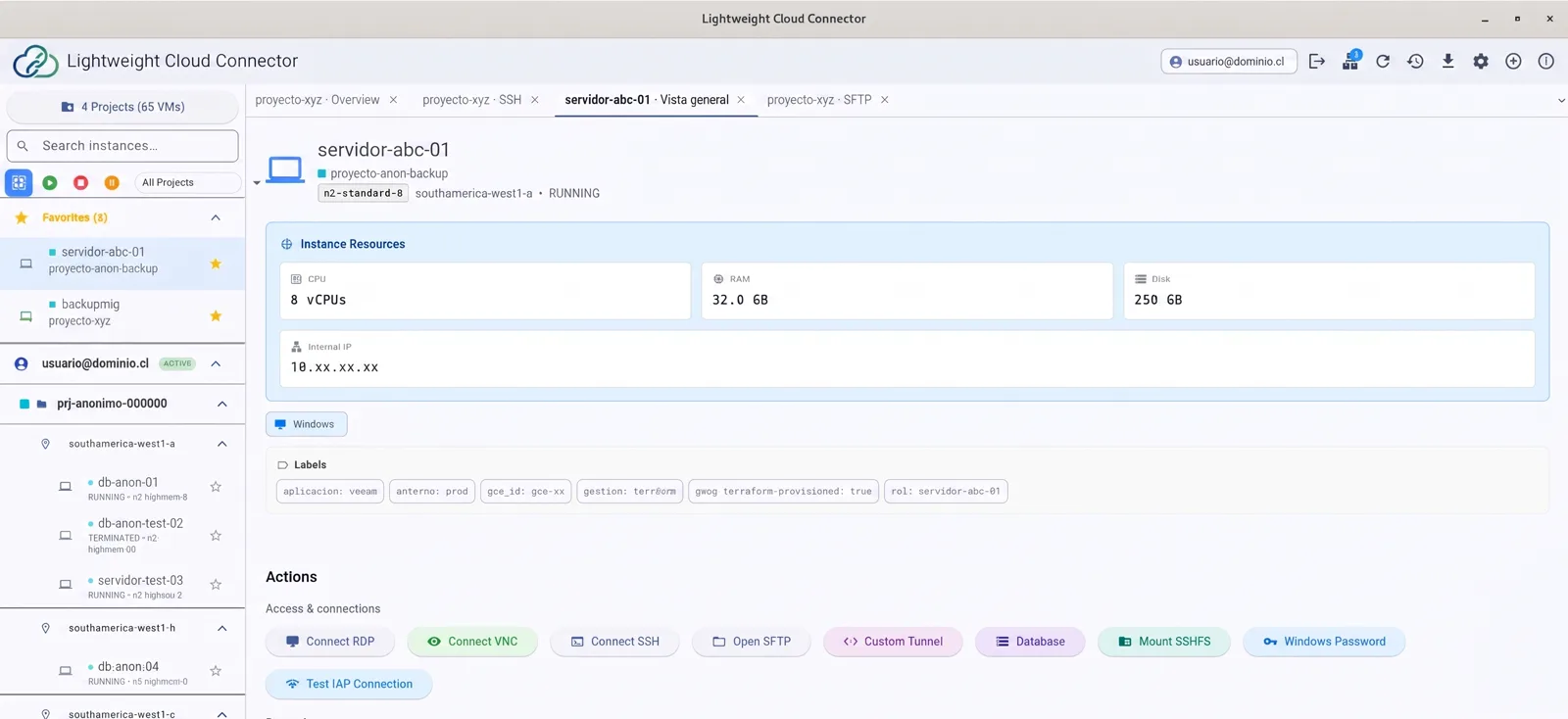
And there's more
RDP and VNC remote desktop
Works with Remmina, FreeRDP, KRDC, GNOME Connections, TigerVNC and Vinagre, with automatic detection of installed clients and smart fallback.
File transfer
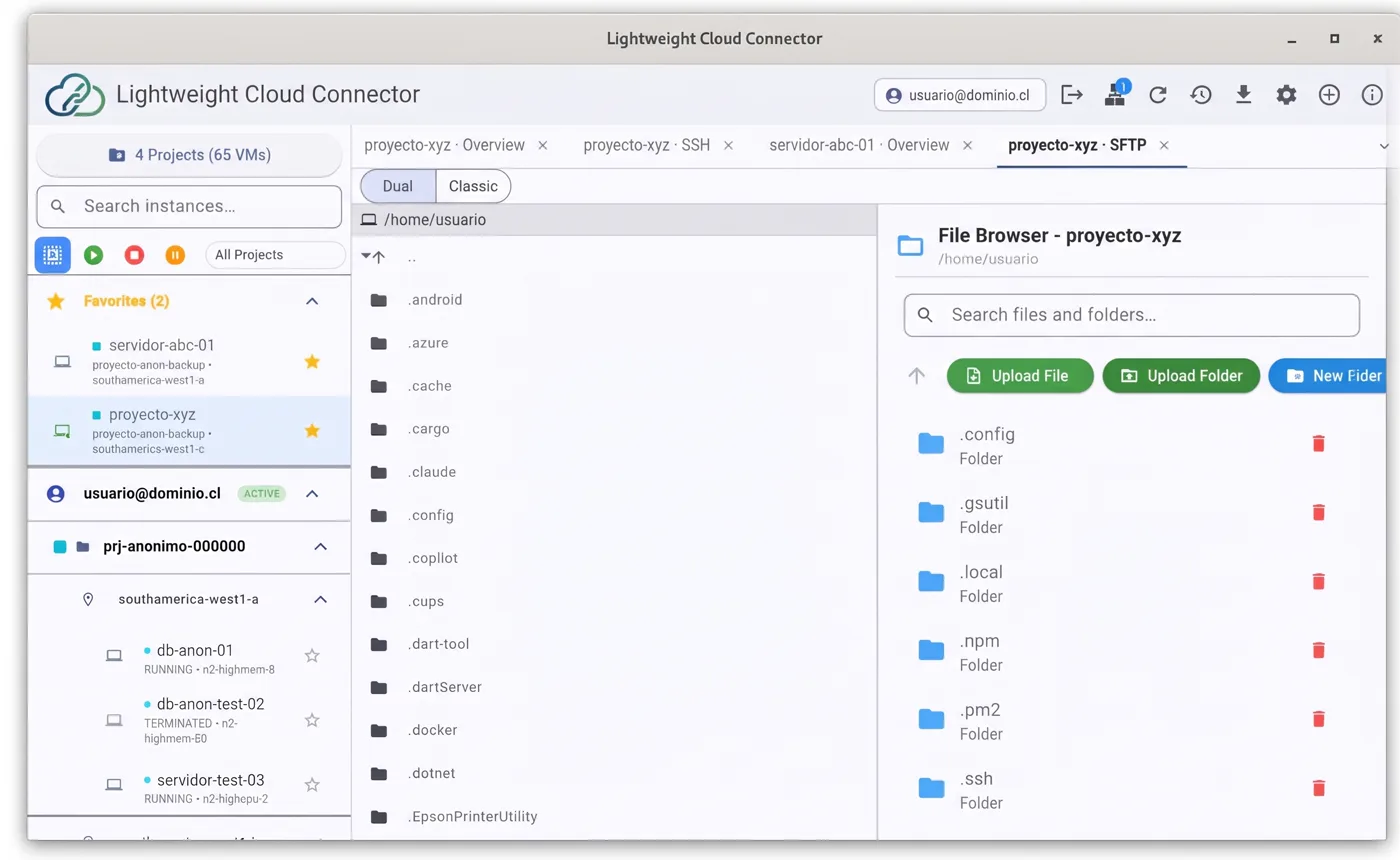
Built-in SFTP browser over IAP SSH tunnels (upload, download and directory management) and SSHFS mounting of the remote file system.
Multi-account and dual API
Several GCP accounts in a single interface, and a choice between the gcloud CLI or Google Cloud Client Libraries (REST) for better performance.
Everything in this release
LCC was renamed from "Linux Cloud Connector" to "Lightweight Cloud Connector" and is now 100% free and open source: the old Free/Pro licensing model has been removed entirely.
Connectivity
- Tunnel Manager with automatic reconnection and health monitoring every 30 s
- Multi-tunnel and universal port forwarding (PostgreSQL, MySQL, HTTP, Redis, MongoDB…)
- Native IAP tunnel in Rust, with automatic fallback to the gcloud engine
- Dual API: gcloud CLI or Google Cloud Client Libraries (REST), up to 1.5x faster
Diagnostics and reliability
- Connectivity Doctor: 10 automatic checks across 5 categories, with auto-fix
- Markdown report export with sensitive data redacted
- Input validation against command injection
- Timeouts on every gcloud command and tunnel health checks
Instance management
- Full lifecycle: start / stop / reset / suspend / resume
- VM Snapshot Manager: list, create and delete disk snapshots
- OS Login, VM labels and filtering by label
- Serial console, VM diagnostics and audit logs
- Multi-account: several GCP accounts in one interface, no restart needed
Remote access
- Multi-client RDP: Remmina, FreeRDP, KRDC, GNOME Connections, with automatic fallback
- Multi-client VNC: Remmina, TigerVNC, KRDC, Vinagre, with automatic fallback
- Auto-credentials for Windows VMs
- Built-in SQL clients (6 supported clients)
Files
- Graphical SFTP browser over IAP SSH tunnels: upload, download and manage directories
- Auto-tunnel: the SSH tunnel is created automatically when you open the browser
- SSHFS mounting of the remote file system
User experience
- Spanish and English UI, with automatic system detection and live switching
- Native desktop notifications for VM and tunnel events
- Light / dark / system theme
- Configurable auto-refresh intervals (10 s to 600 s)
Distribution
- 100% free and open source, with no feature restrictions (GPLv3-or-later license)
- .deb, .rpm, AppImage and tar.gz packages, plus a PKGBUILD for Arch Linux
- Reproducible builds in podman containers (Ubuntu and AlmaLinux)
- Architecture ready for Linux, with macOS coming soon
What's coming in 27H1, now on macOS too
LCC stops depending on gcloud for the things that matter: it opens IAP tunnels, signs you in and reaches your VMs over SSH on its own. And it now comes to macOS too, as a Universal app, for Apple Silicon and Intel. This is a preview and its manual QA is not finished, so try it on machines where a failure won't cost you work.
Download the preview
The stable release is still 26H2 Update 1, Linux-only, and it's what the main download button on this page gets you. This preview is the first release under the GNU GPL v3 or later, with the trademark terms in the NOTICE file. Releases up to 26H2 Update 1 remain under the MIT license. See the terms for details.
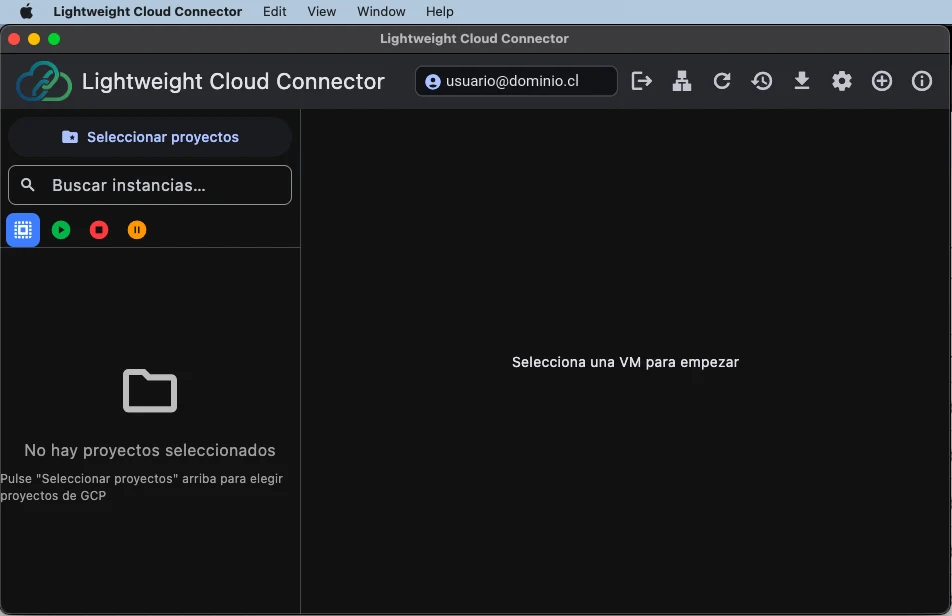
New: LCC for macOS
- Universal app: one package that runs natively on both Apple Silicon and Intel Macs, tested on both
- Remote desktop with native macOS apps: RDP through Microsoft's Windows App (free on the Mac App Store) and VNC through the built-in Screen Sharing
- Each account's credentials are stored in the macOS Keychain, and sign-in opens your default browser
- Since build 20261105.56 the app has its own identifier. Updating keeps your preferences, though macOS may ask again for notification and Keychain access
First launch on macOS
The app is ad-hoc signed and not notarized yet, so Gatekeeper will warn you when you open it. Unzip it, move the app to Applications (replacing the previous build), then right-click it and choose Open. You can also run xattr -dr com.apple.quarantine "/Applications/Lightweight Cloud Connector.app". If you installed build 20261104.54, delete linux_cloud_connector.app.
lcc@prod-web-01:~$ uptime
 10:42:07 up 12 days,  1 user
lcc@prod-web-01:~$ systemctl is-active nginx
active
lcc@prod-web-01:~$
Native IAP tunnel engine
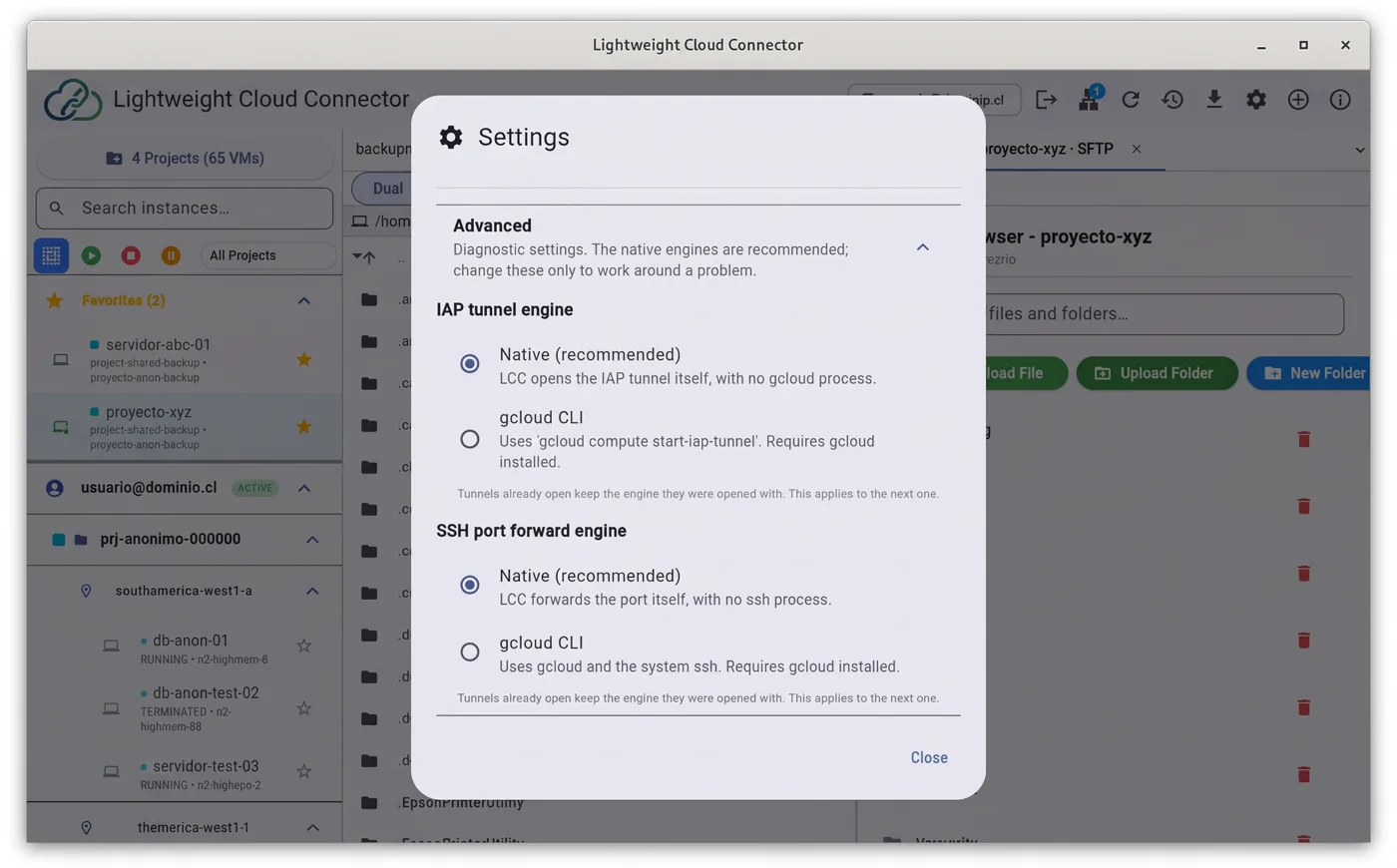
- The IAP tunnel is a Rust WebSocket client: it doesn't launch gcloud or need to find it on your PATH
- gcloud stays available as the alternative engine, selectable in Settings → Advanced
- Typed tunnel errors with stable codes, localized in English and Spanish
- The tunnel manager shows which engine holds each tunnel, and which one failed
Native sign-in
- LCC runs its own Google sign-in (OAuth with PKCE) in your browser;
gcloud auth loginis no longer used - The refresh token is kept in the system keyring (GNOME Keyring, KWallet or equivalent)
- Add, switch and remove accounts from LCC's own account store
- gcloud becomes optional: it stays as an alternative sign-in method in Settings
Native SSH access
- LCC generates its own ed25519 key and publishes it to the VM, asking first
- It publishes the key through OS Login or by adding it to the
ssh-keysmetadata, without overwriting other keys - Native SSH port forwarding by default, with the SSH user derived from the account instead of guessed
Tabs, terminal and SFTP
- Tabbed workspace: embedded SSH terminal (pty + xterm) and an SFTP tab
- Browser-style tab strip, with a confirmation when closing with live sessions
- Dual-pane SFTP, local and remote, with a cancelable transfer queue
- Parallel ranged transfers over multiple SSH sessions, with overall byte progress
Per-account workspace
- Selected projects, connection history and favorites belong to the active account
- Switching accounts disconnects tunnels and restores the other account's view
- Lists saved by earlier versions are handed to the signed-in account when you upgrade
Remote desktop, diagnostics and languages
- On Linux, Remmina RDP profiles use 32-bit color, so Windows hosts no longer show degraded colors
- VNC on any display (for example
:1, port 5901), remembered per VM; the port used to be fixed at 5900 - Connectivity Doctor checks that the keyring answers, and links to the Cloud Console when a fix would otherwise need gcloud
- Rust errors and desktop notifications localized in English and Spanish
- The log states the running build, the engines in use and where each one came from
Known gaps
They're documented in the README and the release notes so you don't run into them by surprise:
- Manual QA isn't finished: there's no data yet on zombie processes after closing clients, on whether disconnecting in LCC cuts a live RDP session, or on the no-regression pass over RDP and SSH port forwarding on both engines.
- The native SSH client doesn't verify the host key. The session runs inside the IAP tunnel, which is encrypted and authenticated to Google, so the exposure is narrower, but it's still a real gap.
- Connectivity Doctor reports one check as failing, and which one isn't known yet.
- With the gcloud tunnel engine,
start-iap-tunnelhas failed over a missingcompute.instances.getpermission even though the app reads the same VM with the same account. It's under investigation. - An idle native port forward doesn't notice it died until someone connects through it.
- The VNC launch-failure dialog is covered by tests but hasn't been seen on screen yet.
- On macOS, tunnels, SSH and the RDP and VNC clients still need a full QA pass.
- On macOS, if the app is killed abruptly, gcloud tunnel processes aren't torn down with it. Quitting normally cleans them up.
Every file carries a build-provenance and SBOM attestation (Sigstore). To verify a download: gh attestation verify --repo jordilopezr/LCC <file>
Requirements
- ✓ Google Cloud SDK (
gcloud) installed and on your PATH. - ✓ An RDP or VNC client for remote desktop connections (for example, Remmina).
- ✓ Linux:
libsecretandjsoncppfor secure credential storage.